Decaying Winter Controls & Keybinds
PC keyboard-and-mouse reference for movement, combat, perks, and squad tools on EDEN-227.
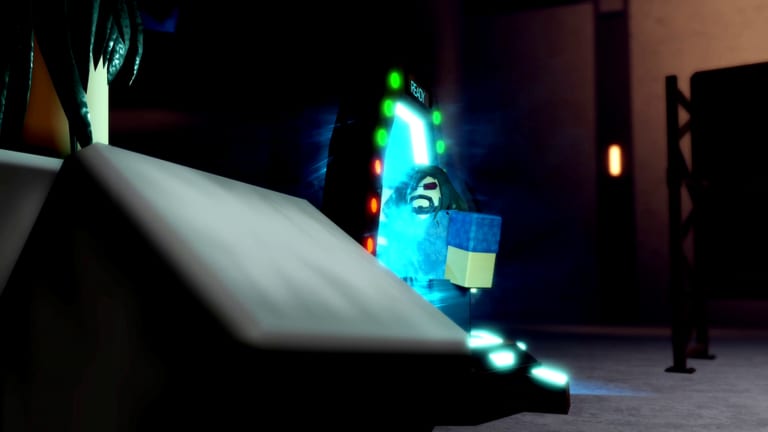
Decaying Winter is built for keyboard and mouse on PC. Console-style aim assist and touch layouts are not the design target for this Roblox wave-based roguelike co-op survival shooter on EDEN-227. If you are learning Place ID 13438553315 (Universe 4676287985), treat controls as part of your loadout: misbound keys cost more than bad trait picks during lethal storm extracts.
Press K at any time to open the in-game keybind overlay. This hub links deeper references—full keybind tables, combat mechanics, and printable keybind cheatsheet tools—while explaining how inputs tie into day loot / night defend pacing and perk abilities.
Core philosophy: actions over menus
Runs move fast. Decaying Winter keeps critical verbs on letter keys near WASD so you can move, loot, fight, and call out without cursor travel. Perks (classes like Survivalist, Arbiter, Sovereign, Hivemind, Zealot, Lazarus) map to F. Traits (three passives) do not add spammy activations—they modify how base controls feel: reload speed on R, aux swaps on C, shove follow-ups on Q.
New players should read How to Play for phase timing, then return here to drill binds before pub queues.
Movement and interaction baseline
| Action | Default | Role in loop |
|---|---|---|
| Move | WASD | Day routes and night kiting |
| Sprint | Shift | Storm escapes, rotation |
| Crouch | Ctrl | Cover and spread reduction |
| Interact | E | Loot, doors, craft benches |
Interaction spams during daytime outposts; practice tapping E while keeping cursor aim ready for ambushes. Beginner builds often assume you can loot under pressure without staring at the keyboard.
Combat and utility overview
| Action | Default | Role in loop |
|---|---|---|
| Primary attack | LMB | Ranged/melee main fire |
| Secondary attack | RMB | ADS, alt fire, or block context |
| Parry / Reload | R | Context action—see combat page |
| Shove | Q | Space creation, elite control |
| Aux equip | C | Sidearm/tool swap |
| Perk ability | F | Class identity burst |
| Ping | Z | Squad callouts |
| Agent menu | T | Utility deployables / orders |
Night defense lives or dies on Z clarity and R discipline. Full timing notes live in combat mechanics.
Why K is your best friend
The overlay (K) reflects rebinding support if the game exposes it in settings. Even default players should open K after patches—cooldown text on F may change even when keys do not. Compare overlay labels with keybind tables on this wiki when recording tutorials for friends.
Controls vs fake code guides
Weirdly, scam codes sites rarely mention K, Q, or R parry windows—tells that authors never played. Honest progression uses challenges and perks (Earn Rewards); honest input docs live here and on Trello FAQ cards. No redeem box exists (No Codes).
Co-op communication binds
Z ping and T agent menu differentiate squads from solo queue chaos. Assign verbal conventions: “ping color = elite,” “agent on choke.” Discord LFG groups (guide) often require mic and ping literacy.
Gear flow and aux on C
Daytime loot feeds aux tools you swap with C. Night roles may designate one player as aux specialist—shotgun breach, flare, medic deployable via T. Controls mastery means knowing when C is faster than holstering primary on 1-3 slots (if numbered slots exist in your build UI).
Practice routine before ranked nights
- Empty lobby or low wave test: sprint (Shift), crouch (Ctrl), shove (Q) chain.
- Reload cancel drills on R without dropping parry readiness.
- Fire F perk on dummy targets to learn animation lock.
- Open T agent menu under stress; muscle memory prevents panic misclicks.
- Print keybind cheatsheet tools for second monitor.
Patch awareness
Balance changes can alter stamina costs (Shift), aux swap times (C), or parry frames (R). After updates, skim official Trello board and re-test binds for ten minutes. Tier list shifts often follow control-feel changes even when keys stay the same.
Related pages
- Keybind tables — exhaustive defaults and role notes.
- Combat mechanics — parry, shove, melee/ranged, agent tools.
- Codes hub — no promo redemption; focus on skill rewards instead.
Decaying Winter punishes input errors harshly during night waves. Investing one session into controls pays more dividends than hunting imaginary Roblox codes ever could.
Frequently Asked Questions
Quick answers to the most common Decaying Winter questions.
Does Decaying Winter support controller or mobile?
The experience requires keyboard and mouse on PC. Plan around WASD combat and K overlay reference.
How do I view keybinds in-game?
Press K to open the keybind overlay at any time.
What key activates my perk ability?
F by default. Perks are classes like Survivalist or Zealot with unique abilities.
Does R only reload?
R is context-sensitive for reload and parry. See the combat mechanics page for timing.
Where can I print a cheatsheet?
Use the keybind cheatsheet tool page for a compact reference layout.